


WingWatch, an AI-assisted travel companion from departure planning to pickup
A concept for iOS. Flight tracking is the foundation; on top of it, assistance that explains what a change means for your journey and leaves the decisions with you.
- Product design
- iOS
- AI
- Concept
- Type
- Concept
- Role
- Product Designer
- Platform
- iOS
- Scope
- Strategy, Product Design, Research
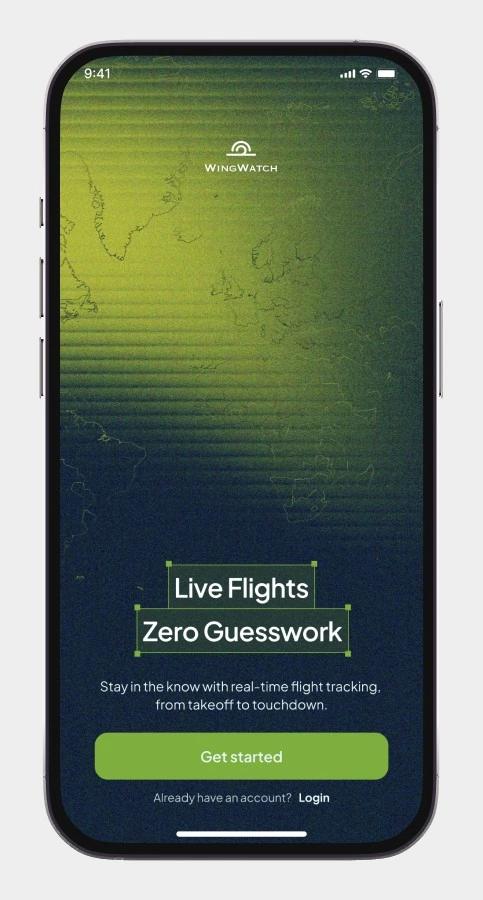
Overview
From your flight information to what it means for your journey
WingWatch is an AI-assisted travel companion concept that turns flight and booking information into practical journey guidance. It explores how AI could organize itineraries, anticipate disruptions, compare alternatives, and coordinate pickup, helping travelers understand not just what is happening, but what to do next.
Flight tracking provides the foundation. The distinguishing idea is to connect information across the journey and interpret its consequences, rather than leave travelers to piece together updates from separate services. The intended audience includes both travelers and the people meeting them at arrivals.
The problem
A change in one place moves decisions somewhere else
Travelers have access to flight updates, booking emails, airport information, and transport estimates, but must connect them manually. A change in one place can affect decisions elsewhere: a late inbound aircraft may threaten departure, while a revised landing time may change someone’s pickup plans.
Status alone does not explain those consequences. “Landed” does not mean ready for collection, and a potential delay does not explain whether another flight is worth considering.
How might AI connect travel information and anticipate its implications while keeping recommendations understandable and decisions under the traveler’s control?
My role
Make the assistance useful, and its limits clear
I designed the product structure, user flows, interface, and supporting copy across flight tracking and AI-assisted journey planning. My focus was on making complex travel information easy to scan and recommendations easy to understand.
The work covered search, saved flights, alerts, and contextual assistance. A central responsibility was distinguishing confirmed updates from predictions and making the boundary between a suggestion and an action clear, particularly for booking changes and sharing travel information.
Foundation
First: what is happening with the flight?
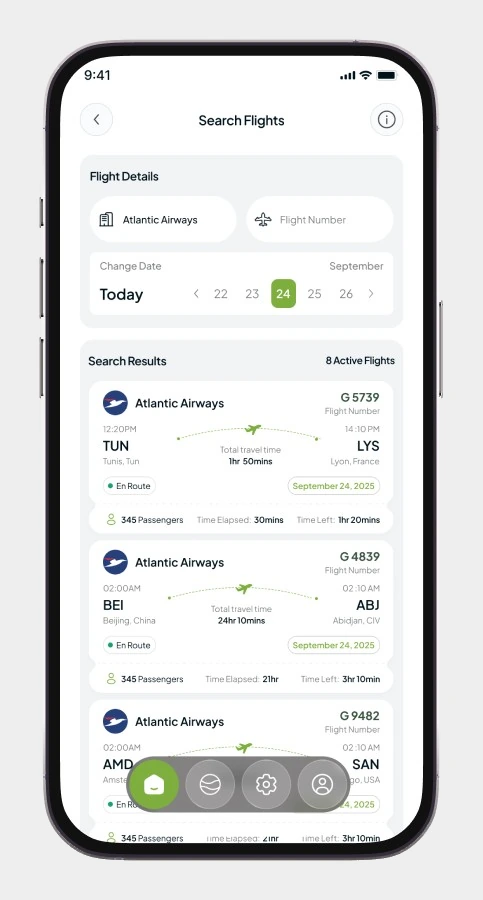
Assistance needs a clear, readable source of context, so the tracking came first. These are the prototyped screens: they give every later suggestion a particular traveler, flight and set of arrangements to work from, and they stay readable on their own.
- FindBy flight number, route or airport
- TrackLive position, scheduled against actual
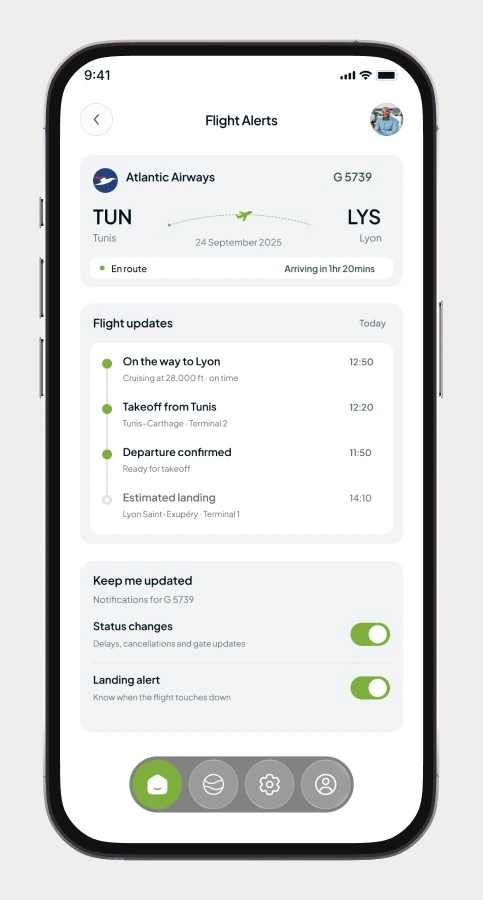
- Be toldStatus, gate and landing alerts
- ArriveAirport board, terminal, onward travel
My Flights
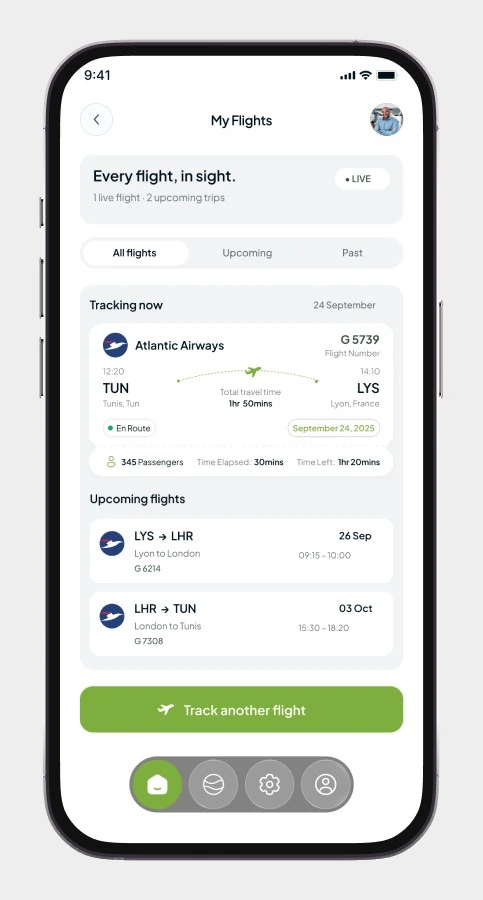
Your flights, already open
The app opens on what is happening now rather than a search box. One flight in the air, two trips ahead of it, and a live chip that says the data is moving.
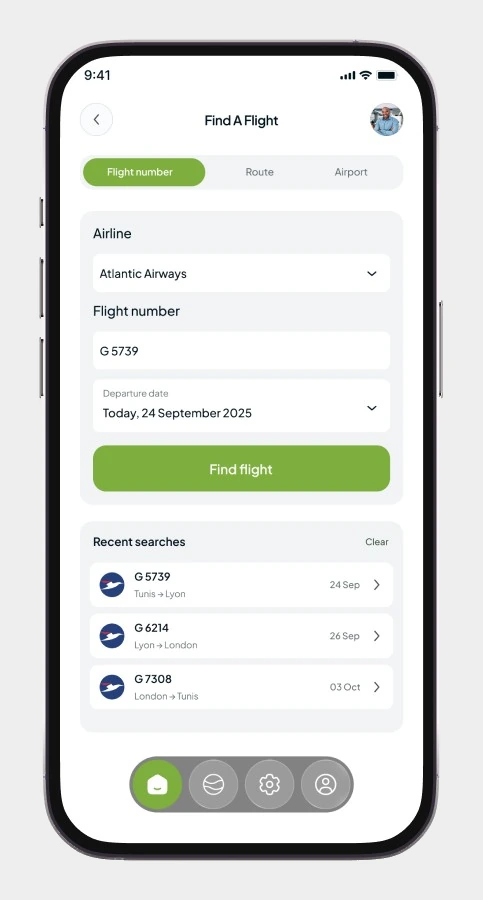
Find a flight
Three ways in
People arrive at a flight from different directions. Some have the number off a boarding pass, some only know the route, some are standing in an airport waiting for someone else. Each gets its own tab rather than one field that has to guess.
Live flight
Scheduled against actual
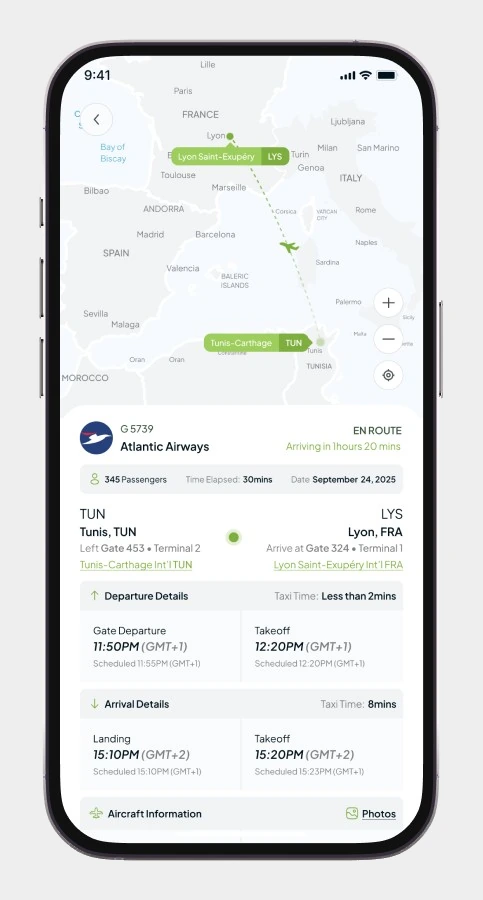
The map puts the aircraft on its route, and under it every time appears twice: what was scheduled and what happened. Gate departure against scheduled gate departure, takeoff against scheduled takeoff, landing against scheduled landing, with taxi time called out separately.
A passenger who can see how far the gate time has drifted from the schedule can work out what it means for the connection, hours before anyone sends a message about it.
Airport
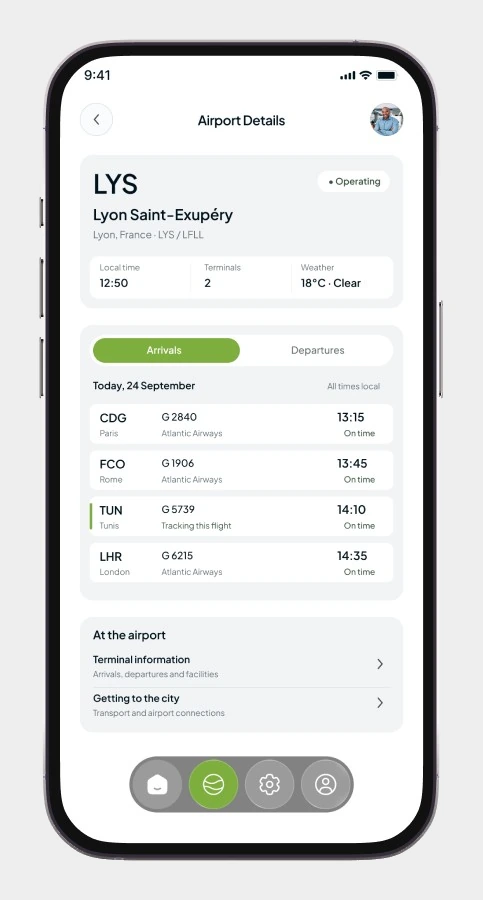
The airport, live
An arrivals board with local time, terminal count and weather at the top, and your flight marked inside the list so you do not have to find it twice. Underneath, the two things anyone actually wants on landing: which terminal, and how to get into the city.
Aircraft
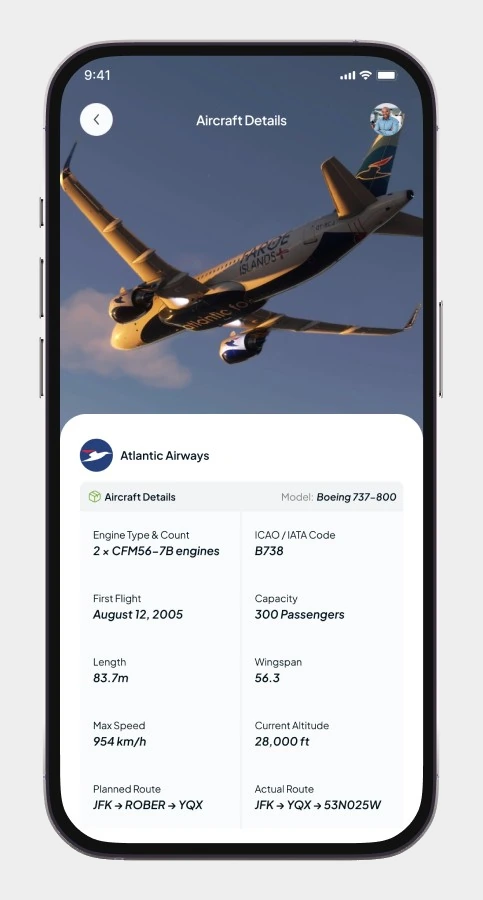
Down to the airframe
For the people who want it, the aircraft itself: model, engines, first flight, capacity, current altitude, and the planned route set against the one it is actually flying.
Flight logs
What it adds up to
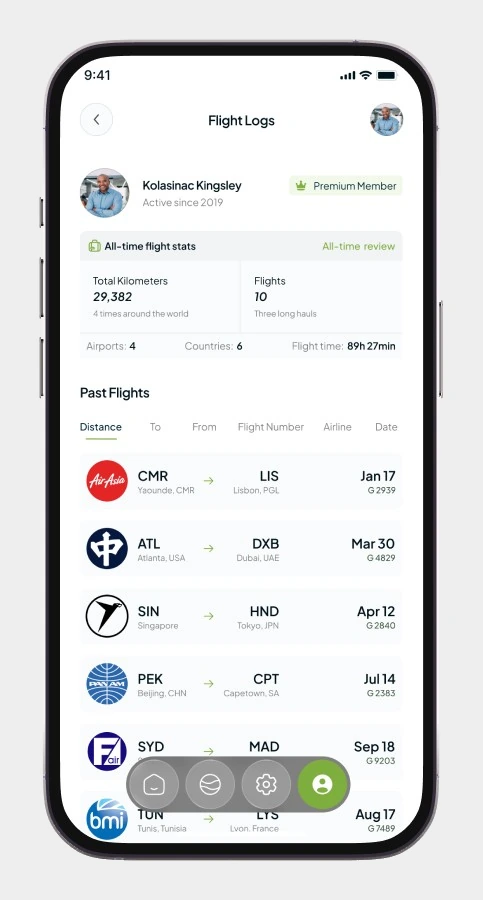
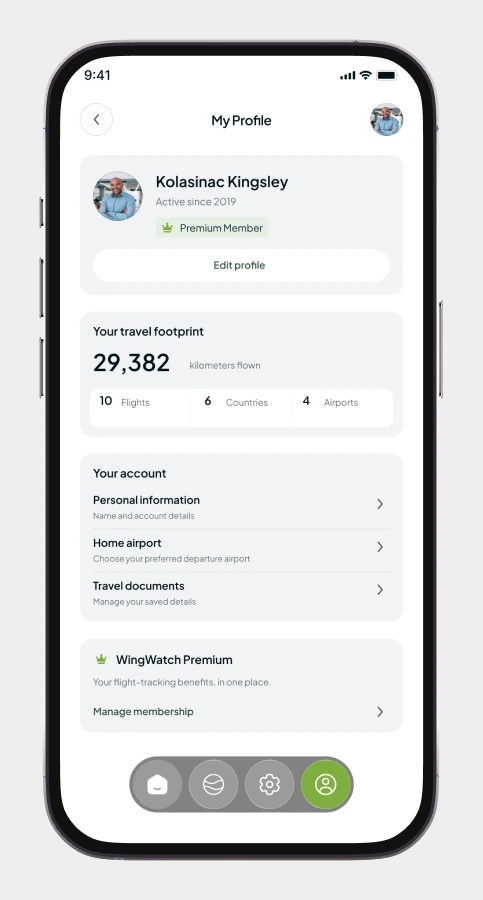
Every tracked flight leaves a record, so the log is a by-product rather than something to maintain. Kilometres flown, countries, airports, hours in the air, and a sortable history underneath.
Settings
Settings, and the floating bar
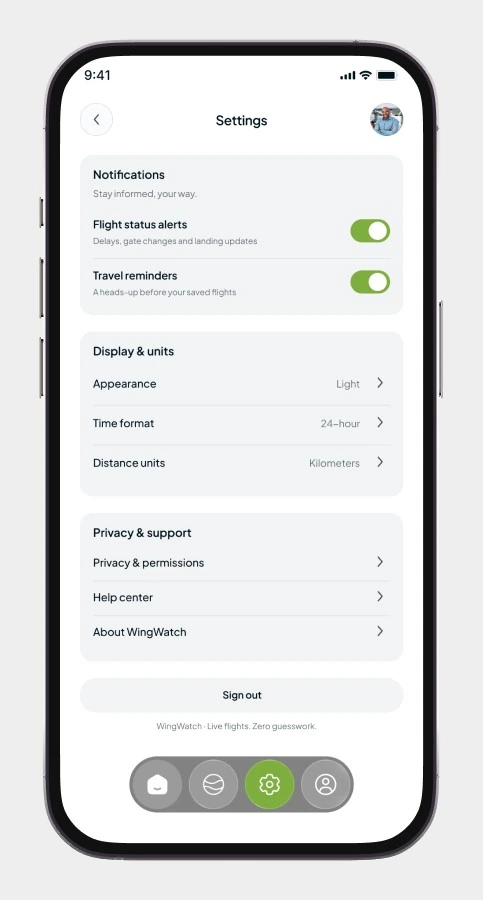
A floating glass tab bar with four destinations runs through the app, the active one filled green. It sits above the content rather than docking to the bottom edge, so the map and the boards keep their full height behind it.
Solution
What is happening, and what to do next
The tracking above is prototyped. The assistance built on it is concept work: described here, and not yet prototyped.
Plan the journey
The concept explores using AI to interpret forwarded booking confirmations and organize related arrangements into a departure timeline. Flight details sit alongside practical milestones: leaving for the airport, reaching the terminal, clearing security, and boarding.
This connects the itinerary to the preparation around it, rather than simply summarizing an email. The timeline gives travelers a structured reference they can check without asking the assistant a question. Flight search, saved journeys, and status alerts support this experience as its core tracking functions.
Respond to disruption
WingWatch explores how a late inbound aircraft and a constrained turnaround could signal a departure risk. The interface separates its forecast from the airline’s published status and explains the contributing factors, so a prediction is not mistaken for an official announcement.
The warning leads to alternative flights compared by arrival time, routing, fare difference, and ticket conditions. This makes the recommendation about reaching the destination, not merely departing earlier. Reviewing an alternative does not change a booking; consequential actions require confirmation.
- Knows
- Airline-confirmed status, gates and times, and what you tell it yourself
- Estimates
- Delay risk, time to the gate, when your bags and your ride will arrive
- You decide
- Rebooking, acting on a forecast, and who sees your journey
Coordinate the trip
A contextual concierge uses the current itinerary to answer questions and help coordinate changes, such as updating a pickup plan after a flight change. Essential details remain visible outside the conversation.
Airport guidance combines security waiting time and walking time to estimate the route to the gate. Arrival support connects baggage estimates, the walk to arrivals, and the pickup contact’s travel time. Travelers can confirm when they have their bags and pause sharing.
These capabilities depend on live data, routing, and calculations as well as AI interpretation. Their purpose is to turn available information into relevant guidance, not to label every function as AI.
Design development
Three related directions
The designs explore three related directions rather than a documented sequence of usability-tested iterations.
Flight tracking → journey planning
Search, maps and flight details establish the current situation; saved trips and a departure timeline organize what comes next. The emphasis expands from an individual flight to the traveler’s wider plan.
Status updates → explained recommendations
Forecasts and alternative flights add decision support. Separating predictions from confirmed status makes uncertainty visible instead of presenting a single authoritative answer.
Individual assistance → shared coordination
Concierge and pickup concepts extend support to someone meeting the traveler. Visible sharing controls make that coordination intentional.
These directions establish a basis for testing; they do not demonstrate improved travel outcomes or prediction accuracy.
What’s next
What it would take to trust it
The next step is to test whether this assistance reduces travel-related effort without encouraging misplaced trust.
Validate predictions
Find reliable data, test forecasts in varied conditions, and know when there’s too little to go on. The concept’s figures are illustrative.
Strengthen trust and control
Show sources and update times, and let travelers fix imported bookings or stop sharing. Booking changes always need explicit confirmation.
Test real travel decisions
Can people tell a forecast from a confirmed update, and recover when it’s wrong? Test disrupted journeys, not just the ideal path.
